We built an agent that turns plain-English questions into SQL, and it worked. Then someone asked the one question it could not answer for us: how do we know it is right? This post is about the evaluation suite we built to replace a feeling with a number.
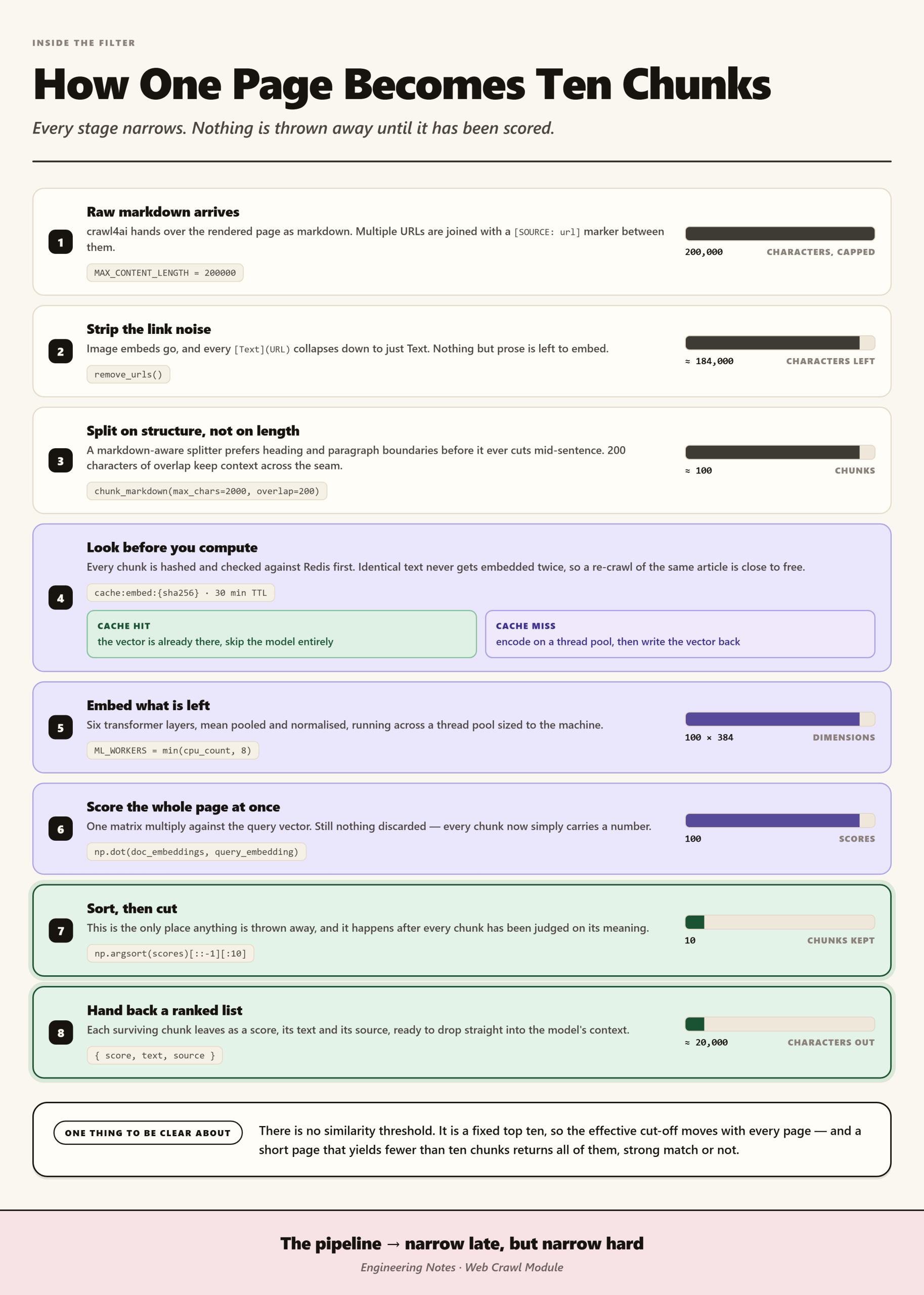
If you ask our agent “how many sci-fi films are there?”, it works out what you mean, maps your words to the right database fields, writes the query, runs it, and hands back the answer. Throughout this post, the examples use a film catalogue as a stand-in for our real data.
However, every time we changed a prompt, swapped the model, or edited the semantic layer, we were guessing. We could not prove we had not made the agent worse, so if accuracy quietly dropped, we would find out from a user weeks later. What we wanted was one number we could check ourselves, which meant the same thing every week and told us where the agent broke when it fell.
Why doesn’t “it looks right” work for testing an agent?
Before the suite existed, checking the agent meant typing in a few questions and reading the answers. That approach fails in three ways:
- It cannot be repeated, so you can never say “this is better than last time” and mean it precisely.
- It produces prose rather than a number, and “seems good” cannot go on a graph or block a bad change from merging.
- Its coverage is limited to whatever you thought of, even though the questions that break an agent are usually the ones nobody thought to type.
In other words, we needed something objective, reproducible, and diagnostic.
Why not just use RAGAS or DeepEval?
Two tools stood out:
- DeepEval, an open-source framework for testing LLM applications with pytest-style assertions and a large library of ready-made metrics.
- RAGAS, whose text-to-SQL evaluation guide runs the known-correct SQL and the agent’s SQL, compares the data each returns, and improves the prompt through error analysis. Its worked example climbs from about 2% accuracy to roughly 71% across three prompt versions.
That loop of measuring, analysing, fixing, and measuring again became the backbone of everything below, and we took it wholesale.
What the tools could not give us
Even so, neither tool fitted our agent on its own, because we needed two things they could not provide:
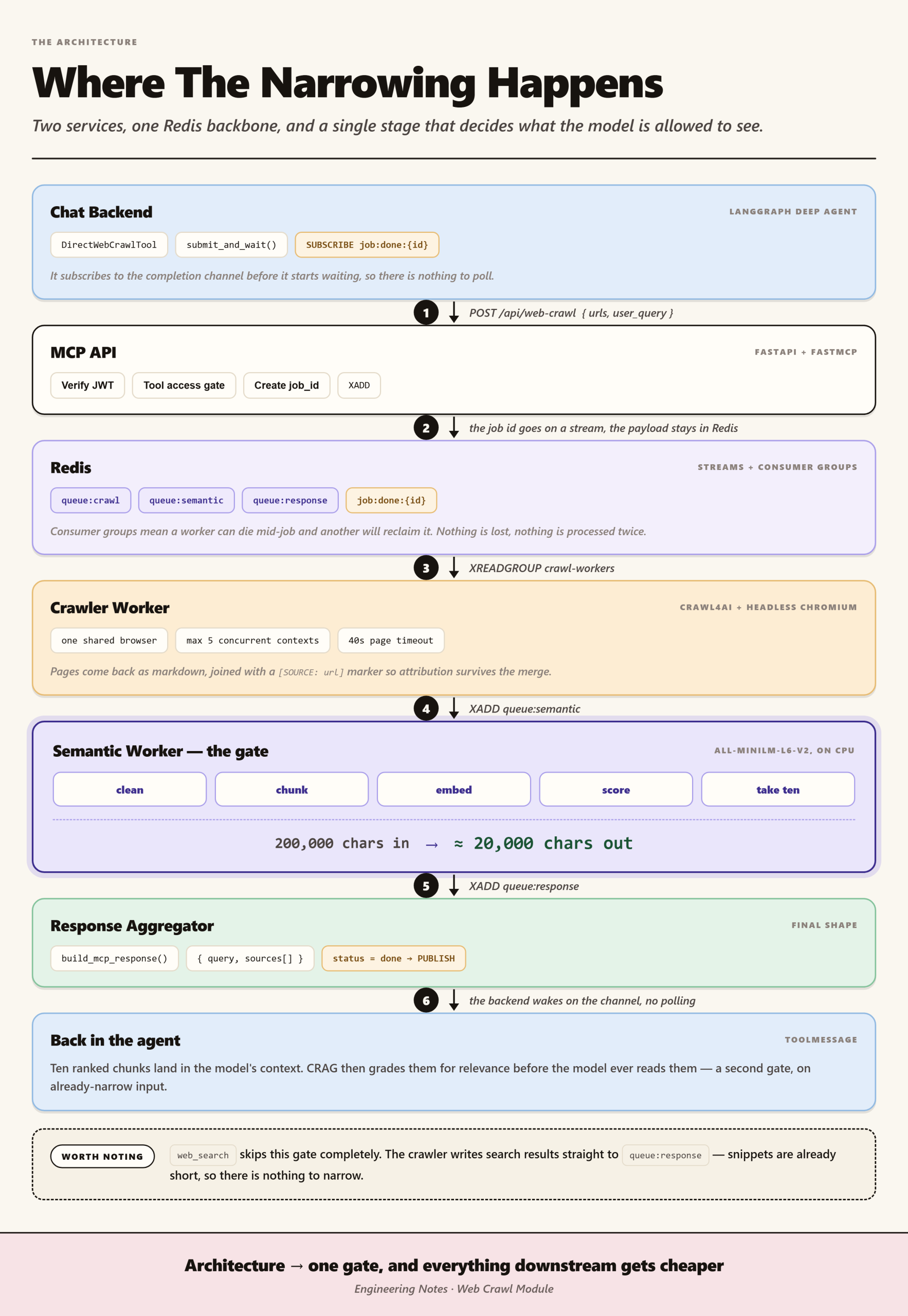
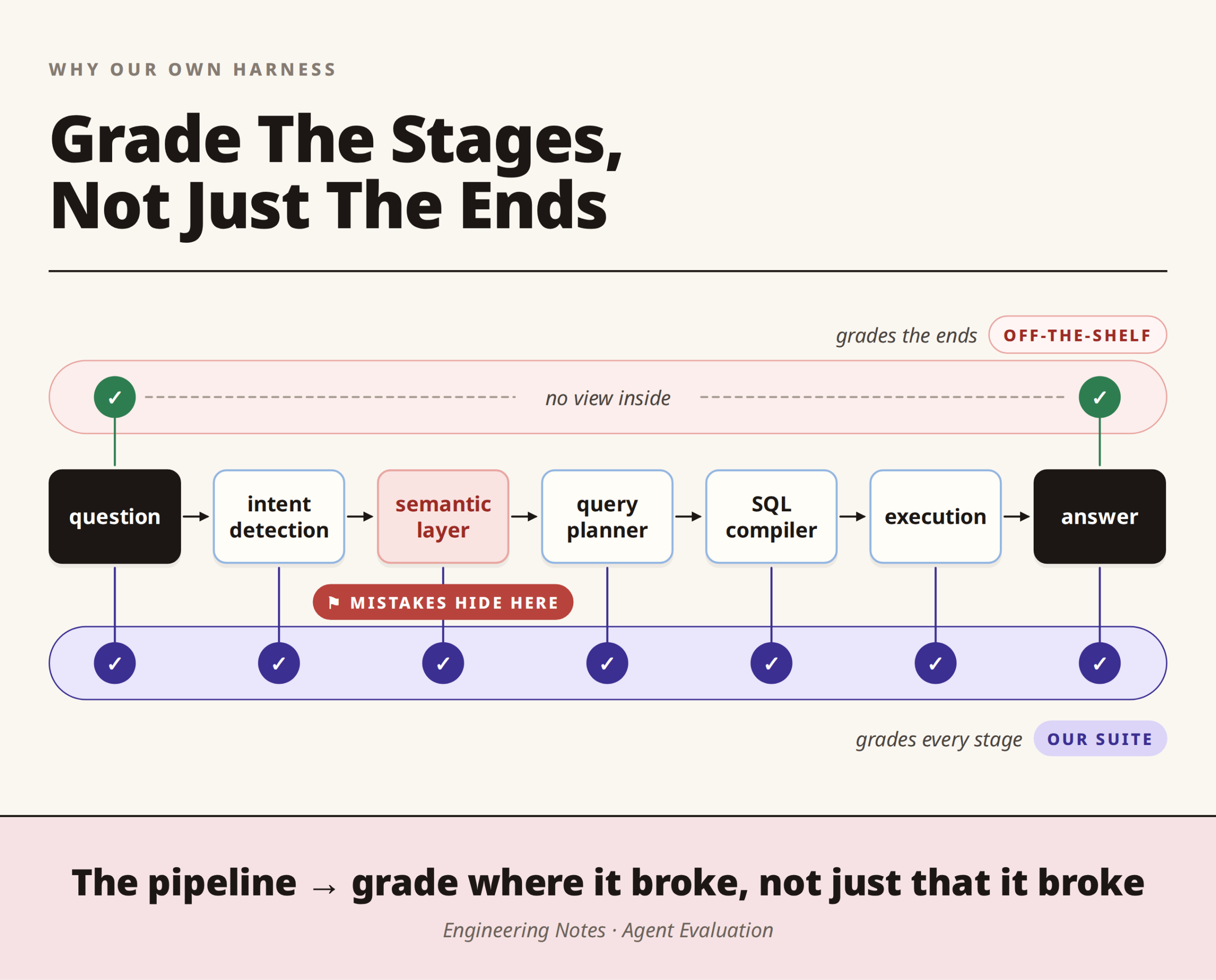
- We needed to grade the stages, not just the ends. Our agent is a pipeline: intent detection, then a semantic layer that maps business words to database fields, then a query planner and a SQL compiler, and only then execution. Off-the-shelf tools grade what goes in and what comes out, so they cannot see the semantic layer choosing the wrong mapping three stages before any SQL exists.
- We needed to score the right to refuse. If a question is hopelessly vague, the agent should ask you to narrow it down, and if the data cannot answer it, the agent should say so instead of inventing a number. A tool that only compares result sets cannot express “the right move here was to refuse”.
Introducing MindzEval
MindzEval is our evaluation suite for the text-to-SQL agent. It keeps the RAGAS loop of measuring, analysing, and fixing, and adds what the tools could not give us:
- It runs every test question through the full pipeline and grades each stage, not only the final answer.
- It scores refusals alongside results, so a correct “please narrow this down” counts as a success.
- It reports one number you can trust, broken down into named causes whenever that number falls.
How MindzEval works: six design decisions
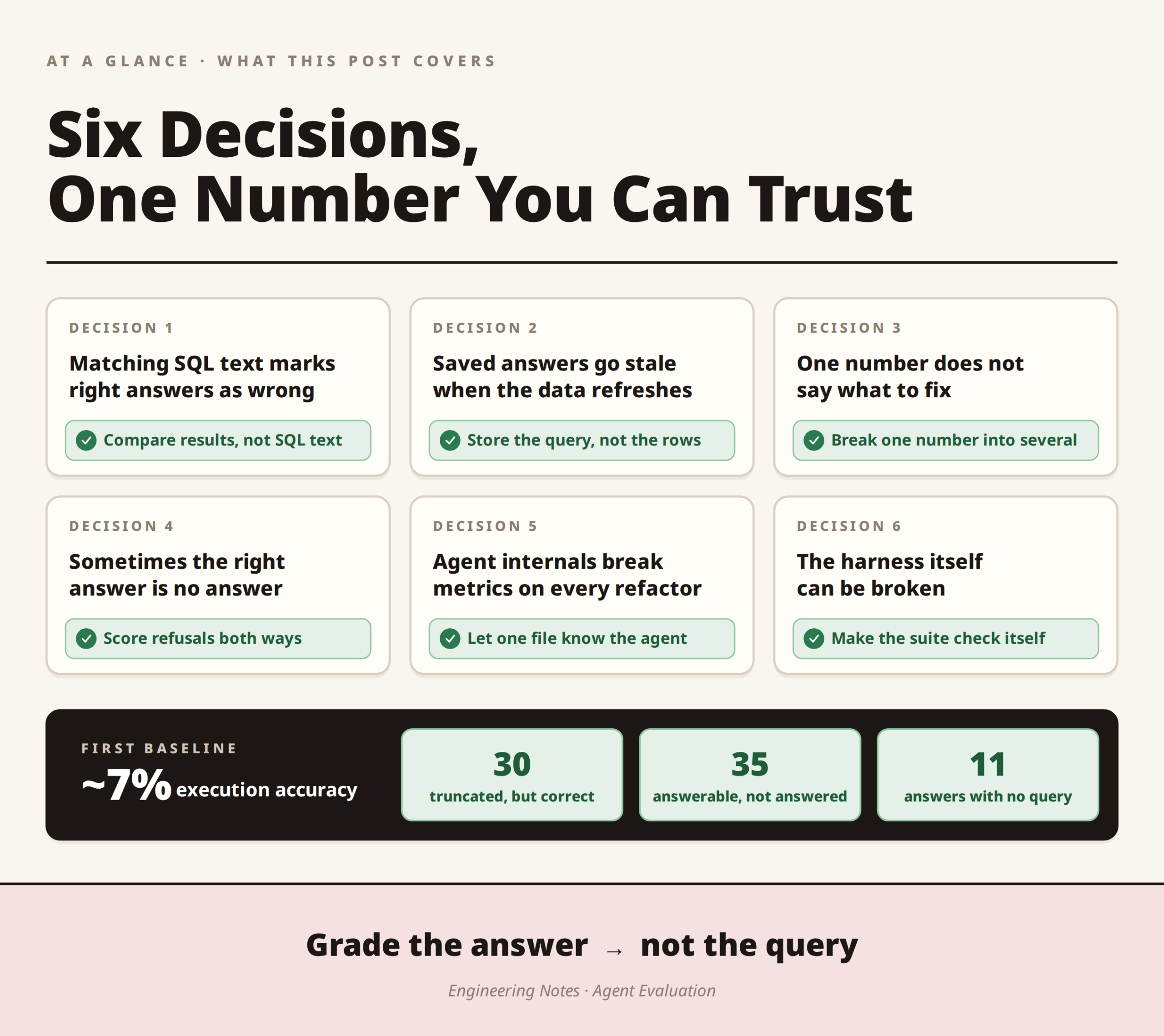
Each decision below started as something that went wrong and ended as a rule MindzEval now follows. Decisions 1 to 3 make the score correct and useful, Decisions 4 and 5 cover our two needs, and Decision 6 makes sure MindzEval itself can be trusted.
Decision 1: Compare results, not SQL text
Why it matters
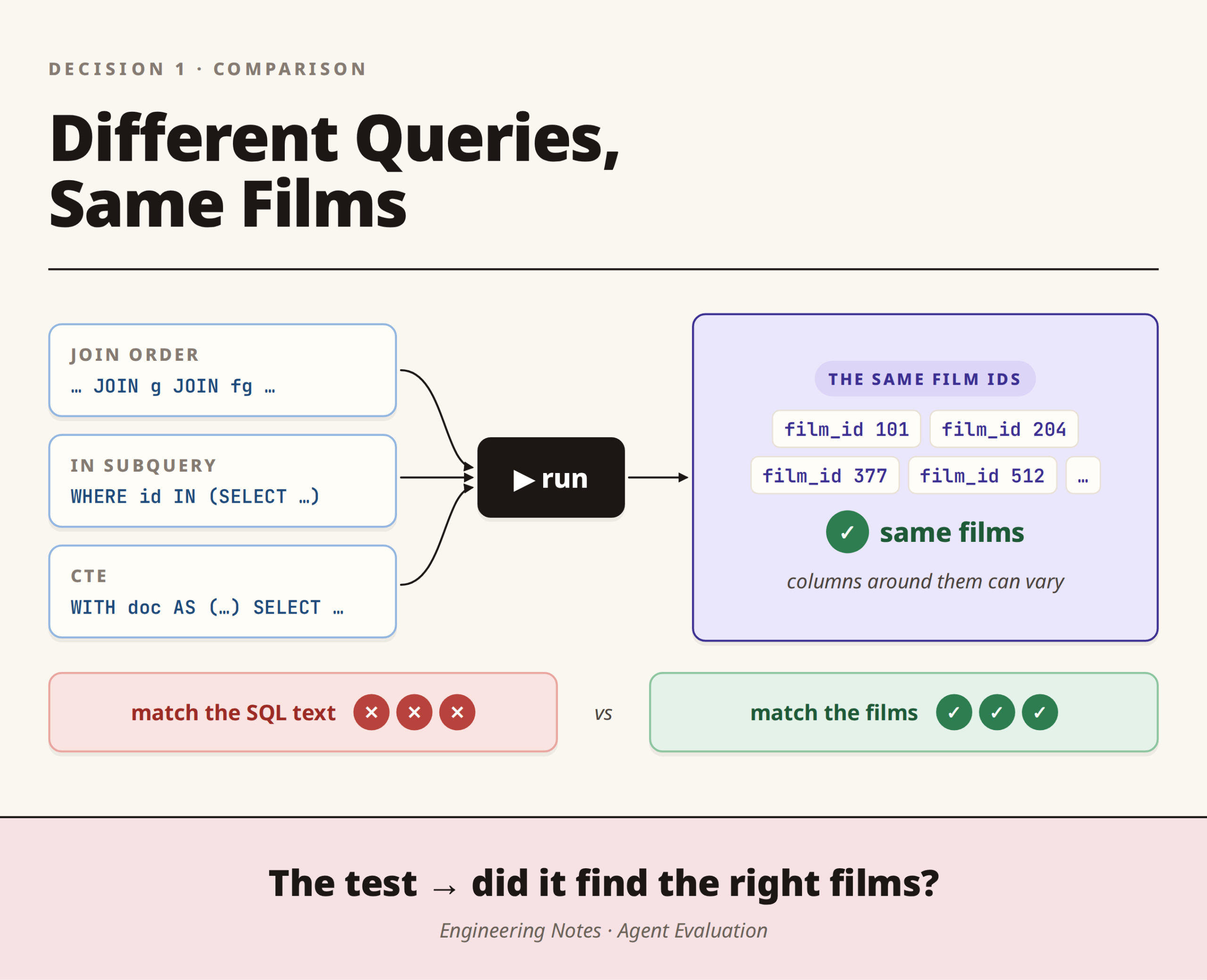
Checking the agent’s SQL against ours letter by letter does not survive contact with reality, because the same query can be written many correct ways:
- a different join order
INinstead of a subquery- a CTE instead of a nested
SELECT
All of them return identical data, yet all of them are “wrong” if you compare the text.
What we did
- We grade the answer, not the query. We run the known-correct query and the agent’s query, and check whether the two return the same films. The share of questions where they match is what we call execution accuracy.
- Think of a maths exam. It is like marking by the final answer rather than insisting the working matches yours line for line: the returned films are the answer, and the SQL is the working.
- We compare on identity, not whole rows. The agent returns different columns for different questions, sometimes just a title and sometimes a title, a release year, and a box office total. Every film has a stable id,
film_id, in every row, so we compare the set of ids and let the columns vary freely. That asks the only question that matters: did it find the right films?
Because “the same answer” differs by question type, the comparison has four shapes:
| Question type | Example | What we compare |
|---|---|---|
| Filter | “documentaries” | The set of film ids |
| Ranking | “top 10 by box office” | The ordered list of ids, with the set checked separately so we can tell “wrong films” from “right films, wrong order” |
| Count | “how many sci-fi films are there?” | A single number |
| Per-genre breakdown | films grouped by genre | The group totals |
Decision 2: Store the query, not the rows
Why it matters
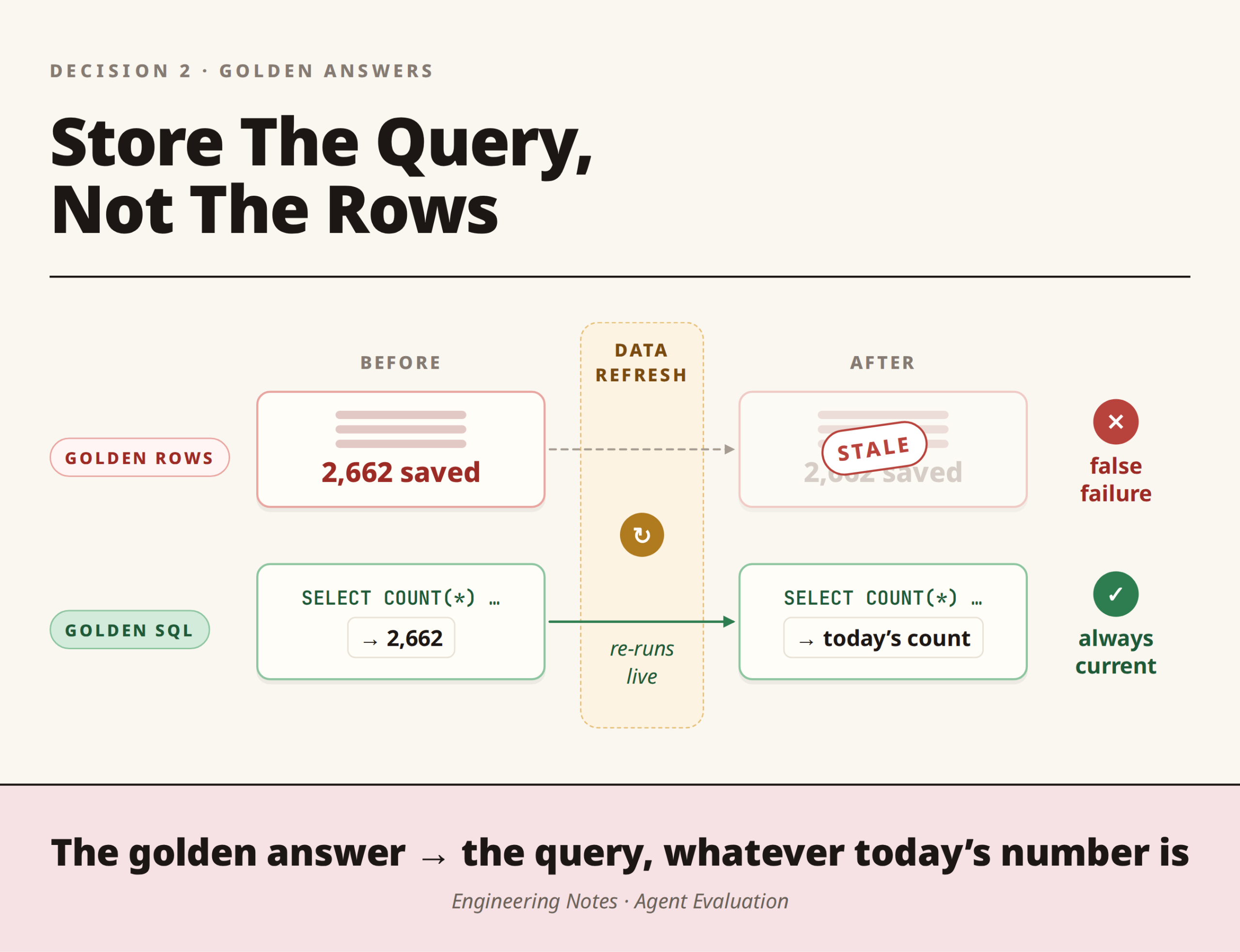
The obvious approach is to save the list of films each question should return. However, the moment new data loads, every saved list goes out of date, and the suite fails on cases where the agent is perfectly fine. Consequently, you spend your mornings re-recording answers instead of fixing the agent.
What we did
- We store the known-correct SQL and run it fresh on every run, so the reference answers stay correct when the data refreshes.
- The golden answer is the query, not the number. For “films from Spain”, it is not “2,662 films” but the query that counts them, whatever today’s number is.
- Each case also records what each stage should produce, in its
expectblock, which is how MindzEval grades individual stages rather than only the output.
A case ends up looking like this:
- id: filter_documentary_001
  question: "Which documentaries are in the catalogue?"
  category: filter
  difficulty: easy
  golden_sql: |
    SELECT DISTINCT fg.film_id
    FROM public.v_film_genres fg
    JOIN public.v_genres g ON g.genre_id = fg.genre_id
    WHERE g.genre_label = 'Documentary';
  compare_on: film_id_set
  expect:
    semantic: {status: RESOLVED}
    plan: {operation_type: FILTER}
    terminal_status: SUCCESS
There is a related trap: golden queries must use the values actually in the database.
- The data says
'España', not “Spain”, and'Sci-Fi & Fantasy', not “sci-fi”. - A question about wildlife and nature films once came back empty for exactly this reason, whereas it now returns the 37 films it should.
As a result, a good chunk of the dataset is quietly a set of regression tests for bugs that actually happened.
Decision 3: Break one number into several
Why it matters
“The agent is 7% accurate” is true but useless on its own. It does not say whether queries ran and returned the wrong thing or never ran at all, nor whether filters are too loose or too strict, so you cannot act on it.
What we did
- Executable rate answers “did the query even run?”, which separates a wrong answer from a broken one.
- Precision and recall on the film sets show the direction of the error. High recall with low precision means the filter drags in extra films, while the reverse means it is too strict.
- Failure buckets sort every failing case into exactly one named cause, because a failure with a name is a failure you can fix.
- Slicing by question type and difficulty turns one headline figure into a sentence such as “94% on simple filters, 45% on multi-constraint aggregations” (an illustration of the format, not our current result), which actually decides what you work on next.
| Failure bucket | What it means |
|---|---|
| Query never ran | The agent did not execute any SQL |
| Asked for clarification | The agent asked the user to narrow the question |
| Fell back | The agent took its fallback path instead of answering |
| Ran out of step budget | The agent hit its limit before finishing |
| SQL error | The query was executed but threw an error |
| Confident answer, no query (hallucination path) | The agent returned a successful-looking answer without running any query |
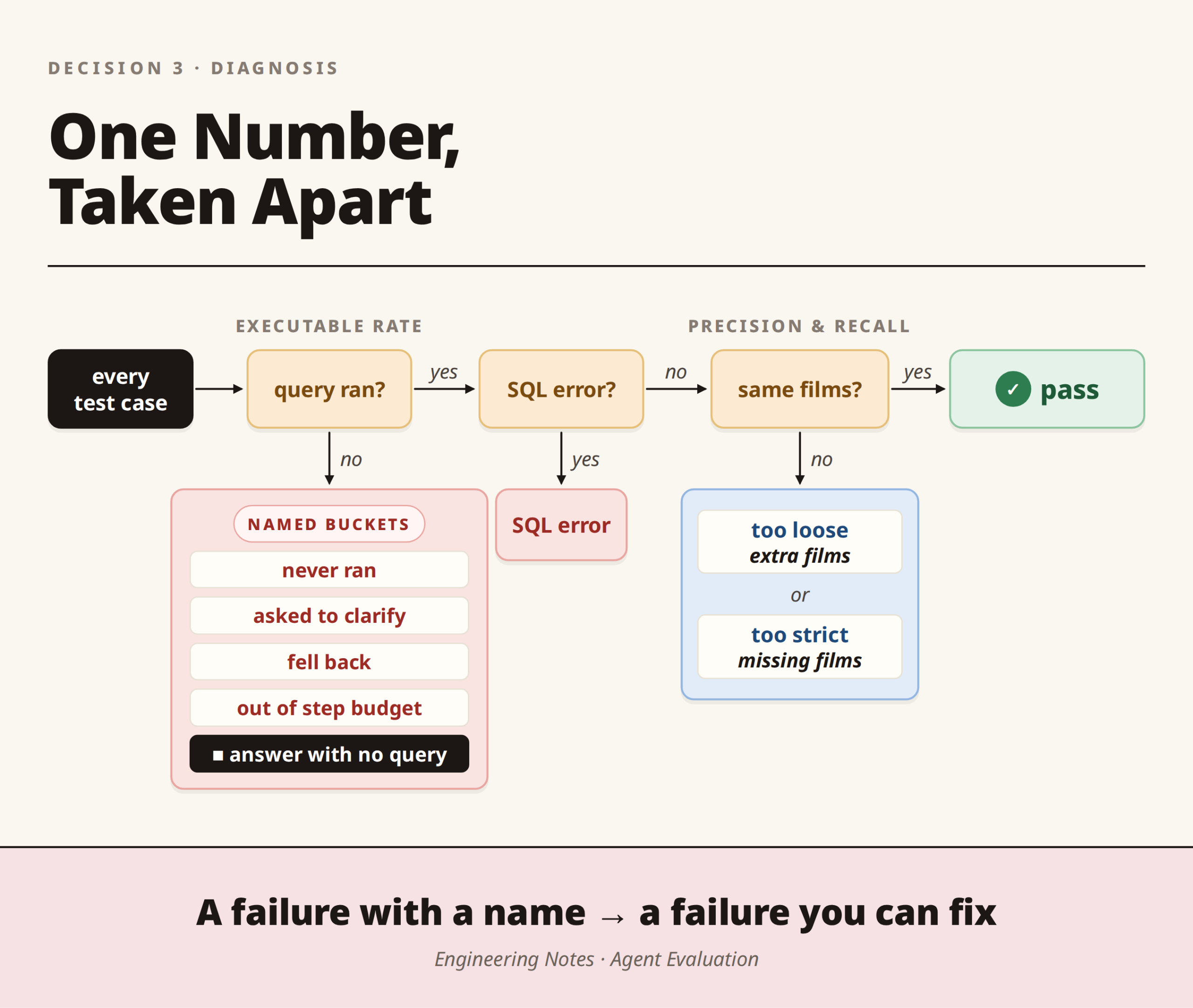
The last bucket matters most, because in a text-to-SQL system a number with no source behind it is the most dangerous output there is.
Decision 4: Score refusals both ways
Why it matters
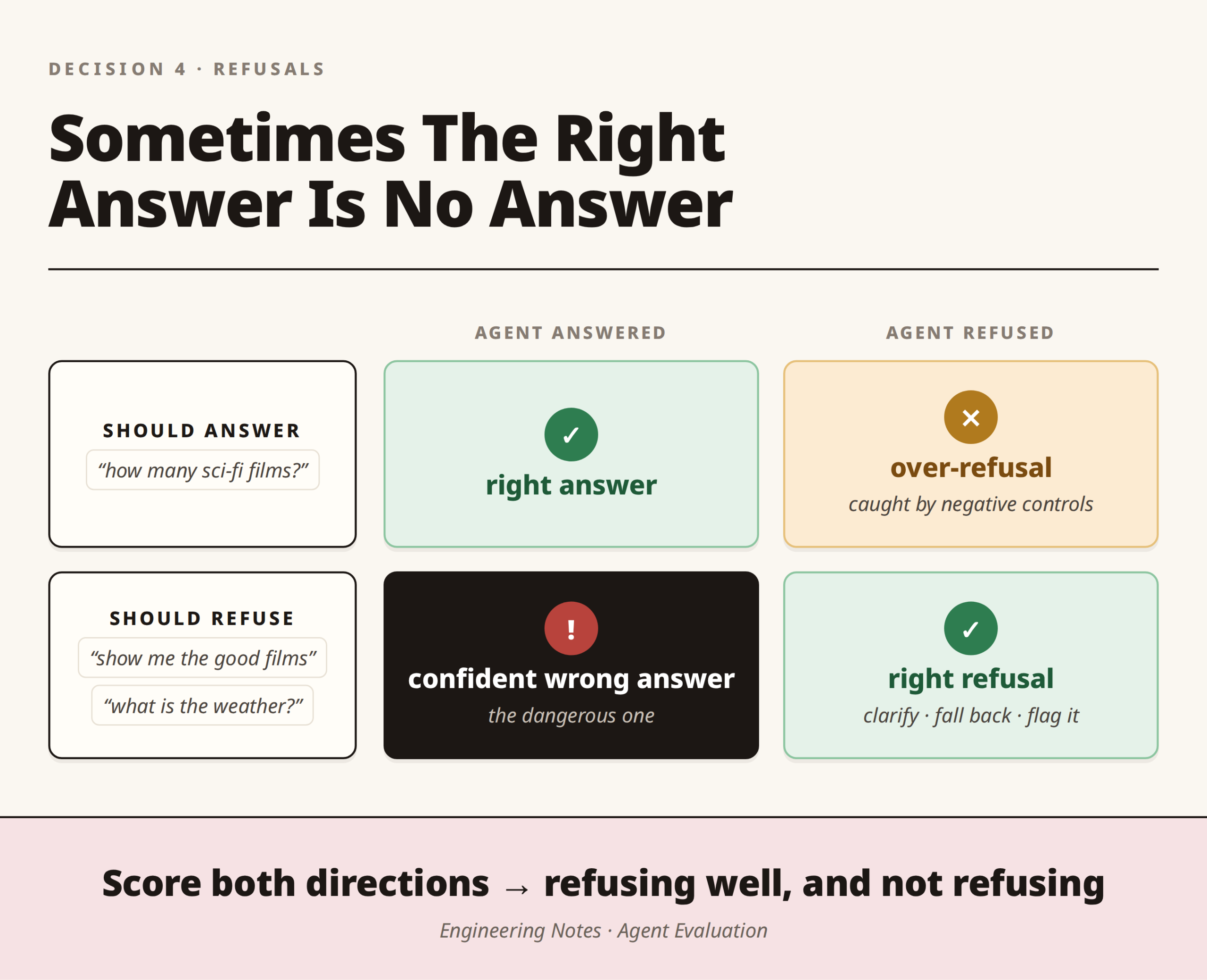
This is the second need from earlier: sometimes the right answer is no answer.
- “Show me the good films” is too vague, so the agent should ask what “good” means.
- “What is the weather” is out of scope, so it should decline rather than guess.
A metric built on comparing rows cannot score these cases, and leaving them out creates a blind spot exactly where a confident wrong answer does the most damage.
What we did
- A separate behavioural score checks whether the agent asked for clarification, fell back gracefully, or flagged a concept as unsupported when it should have.
- It scores both directions. An agent that asked for clarification on every question would score perfectly and yet be useless.
- Negative controls catch over-refusal. These are questions the agent should simply answer, and we score them too, because knowing when not to refuse is as much a skill as knowing when to refuse.
Decision 5: Let one file know the agent
Why it matters
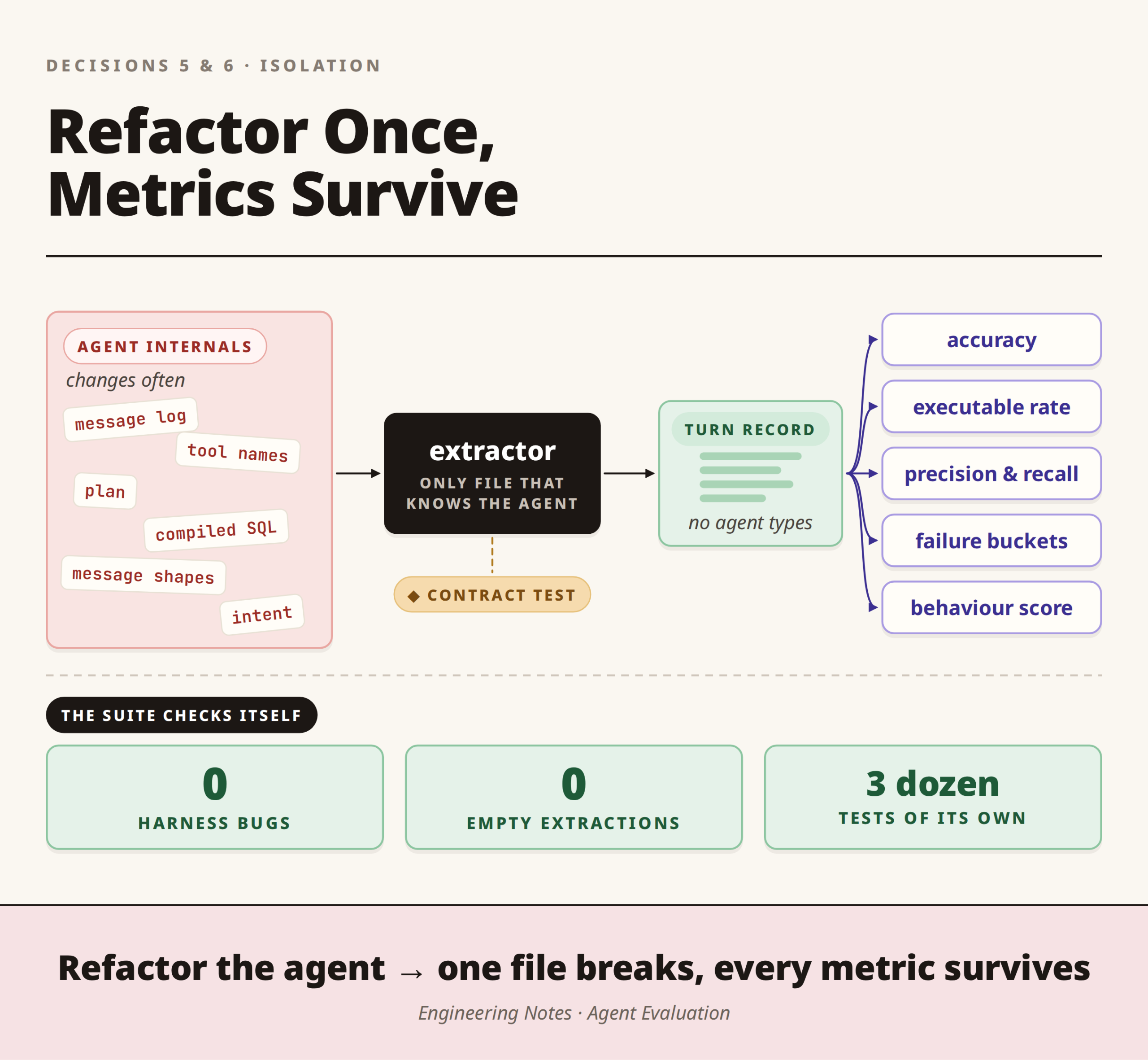
Grading every stage, our first need, means reading the agent’s intermediate results: what it understood, the plan it built, and the SQL it compiled. However, these are buried in its message log, and digging them out depends on exact tool names and message shapes. Since the agent is under active development, that knowledge goes stale the instant someone refactors.
What we did
- Every metric reads from a normalised turn record, a clean record of one turn that contains no agent-specific types.
- Exactly one module builds that record, and it is the only file in MindzEval allowed to import the agent or name a tool. As a result, a refactor breaks one file instead of every metric.
- One run serves every metric, so we never pay to re-run the agent for each one.
- A small test guards that file by checking that it still recognises the agent’s real tool names.
Although that test sounds trivial, it caught a real bug: code looking for a tool called semantic_resolver, which does not exist, had left an entire stage silently empty.
Decision 6: Make the suite check itself
Why it matters
A measuring instrument can be broken too. If the extractor silently returned nothing, every metric would read zero, and it would look as though the agent had got much worse overnight. A number you cannot trust is worse than no number, because you will act on it with confidence.
What we did
- Two counts top every report: failures caused by bugs in our own harness, and failures caused by an empty extractor. Both are currently zero, which is how we know the score is real.
- Crashes are attributed, so an agent bug is filed as a finding and our bug is filed as ours.
- The harness has three dozen tests of its own, because the ruler needs its own ruler.
What did the first baseline tell us?
When we ran MindzEval, the first full baseline came back at about 7% execution accuracy. We read that as good news, because a low number that breaks into named, fixable causes means the instrument is measuring something real. After all, the number’s job is not to be high on day one but to move and to say why when it does not.
| Finding | Cases | What it means |
|---|---|---|
| Truncated, but everything returned was correct. | 30 | The 50-row display cap made a full match impossible even though the agent’s logic was right. |
| Answerable questions not answered from a real query | 35 | The agent fell back or asked to clarify instead of just querying |
| Of which: confident “success” with no query run | 11 | The hallucination path |
Two structural issues, rather than reasoning failures, dominated the score:
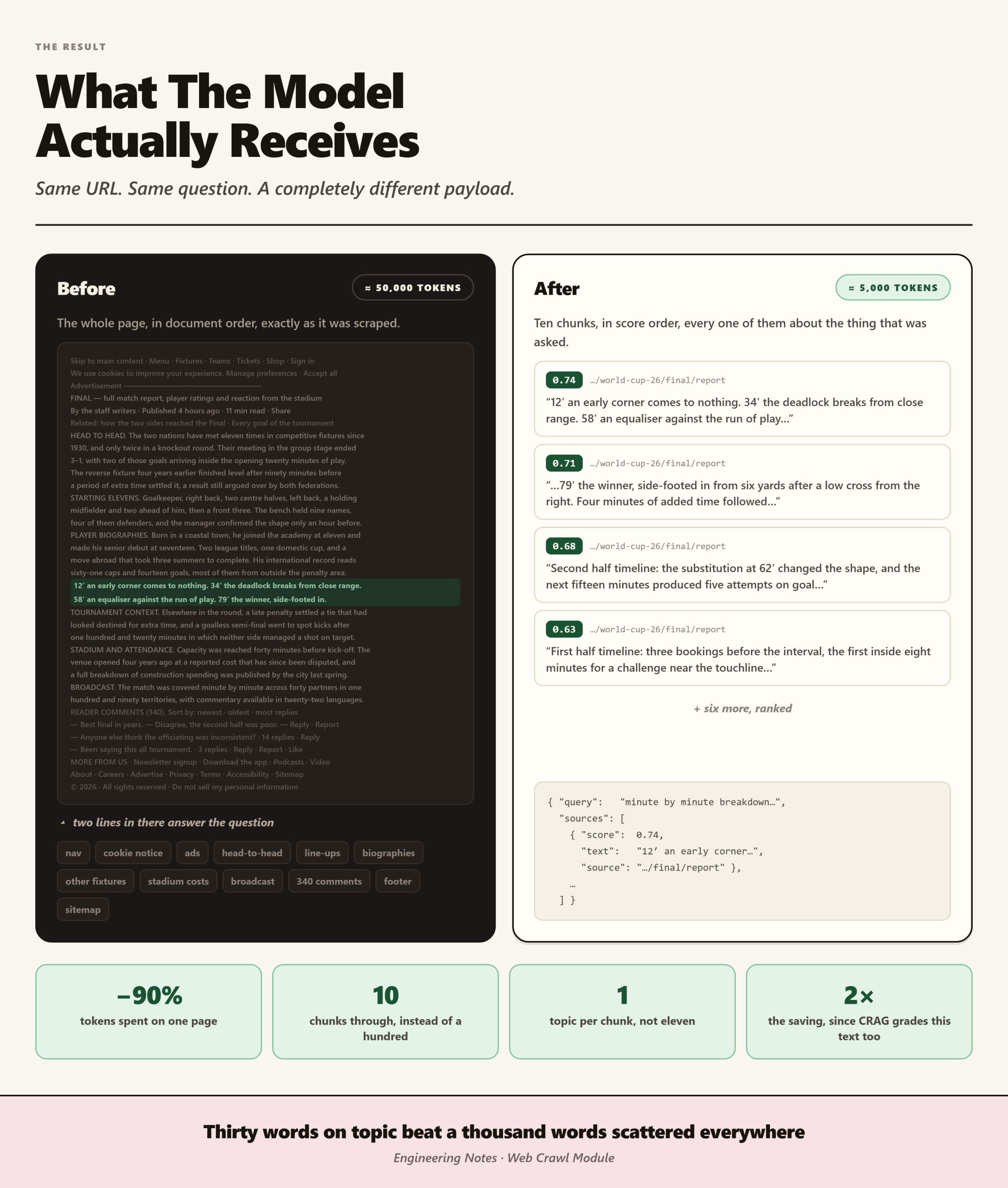
- A display setting. The agent caps results at 50 rows, but our reference answer for “sci-fi films” is 215. It returned 50 correct films, so the cap alone made a full match impossible. MindzEval reports this as its own category, and it accounted for 30 cases.
- The agent holding back. On 35 answerable questions, the agent did not answer from a real query, and it mostly fell back or asked for clarification. However, 11 of those 35 returned a confident “success” without running any query, which we would never have spotted by reading answers.
In other words, instead of “the agent is 93% broken”, we got a to-do list.
How we run it day to day
- On every change, we run a fast slice of ten cases, which takes about seven minutes.
- Every night, we run the full set of one hundred cases.
- Later, DeepEval comes back in, both for wiring MindzEval into CI and for an optional judge that checks whether the final wording invents anything the data does not support.
The core, however, stays ours, because no framework can see inside our agent or say that refusing was the right call.
The lesson
Grade the thing that matters, not the thing that is easy to compare. Matching SQL text is precise but wrong, whereas checking whether the agent found the right films is the only number worth trusting. A number you can check yourself, even an ugly one, beats a confident feeling every time.
Want to know whether your agent is right, not just whether it looks right?
MindzEval grades every stage of a text-to-SQL pipeline, scores refusals in both directions, and checks its own results on every run. To find out what it could reveal about your agent, call us on +91 85957 97775.